
Finding enjoyable Android games for a low-end smartphone can sometimes be challenging. Many modern games require powerful processors, large amounts of RAM, and advanced graphics capabilities. However, not everyone owns an expensive smartphone, and that does not mean they should miss out on entertaining mobile gaming experiences. There are plenty of lightweight games that deliver excellent entertainment without demanding high hardware specifications.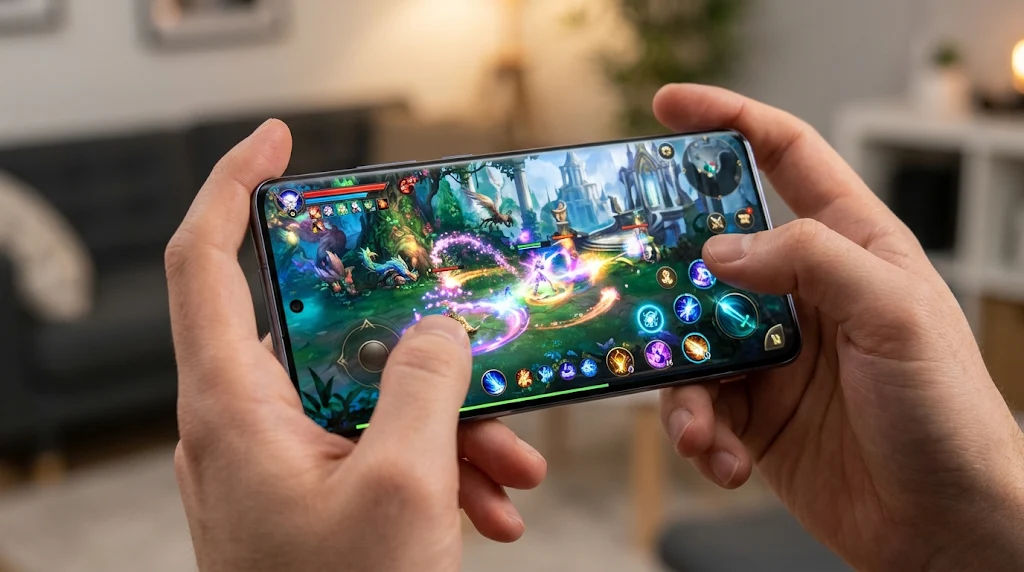
Choosing the right games can help users enjoy their smartphones without experiencing frequent lag, overheating, or unexpected crashes. Whether someone enjoys racing, puzzles, adventures, strategy, or casual entertainment, several Android games are designed to work well on devices with limited resources.
Understanding which games offer good performance is important when selecting suitable entertainment. Lightweight games are especially useful for people who want enjoyable experiences without upgrading their phones.
Low-End Android Phones
Low-end Android phones are generally designed for everyday activities such as calling, messaging, browsing, and using basic applications. They usually have limited processing power, smaller memory capacity, and less advanced graphics hardware than expensive smartphones.
However, these devices can still support many enjoyable games.
Common Features of Budget Smartphones
Most entry-level Android smartphones include basic processors, limited RAM, and modest storage capacity. Some older devices also have slower internal storage, which can affect how quickly applications open.
These limitations do not make gaming impossible. They simply mean users should choose games that are designed to operate efficiently.
Games with simple graphics, smaller installation sizes, and fewer background processes are often suitable for these smartphones.
Why Game Requirements Matter
Every Android game has different hardware requirements. Some games depend heavily on graphics processing, while others mainly use basic processing power.
A lightweight puzzle game might operate smoothly on a device with limited memory. A large multiplayer action game, however, might struggle on the same smartphone.
Checking the minimum Android version, storage requirements, and memory recommendations before installing a game can prevent unnecessary problems.
Best Android Games for Low-End Phones
Several Android games provide enjoyable experiences without requiring expensive hardware. The following options cover different gaming interests and offer alternatives for people using entry-level smartphones.
1. Subway Surfers
<text>Subway Surfers is a popular endless-running game that offers simple controls and colourful graphics.</text>
Players control a character running along railway tracks while OPEN88 obstacles, collecting coins, and completing challenges.
Its straightforward gameplay makes it accessible to beginners. Players can swipe in different directions to move their characters, making the experience easy to understand.
Although newer versions may require more resources than older releases, the game can work reasonably well on many budget smartphones.
Reducing unnecessary background activity can also improve performance.
2. Hill Climb Racing
Hill Climb Racing is another excellent choice for people using smartphones with limited hardware capabilities.
The game features a vehicle travelling across different landscapes. Players control acceleration and braking while attempting to maintain balance and collect coins.
Its simple presentation and straightforward mechanics make it enjoyable without requiring advanced gaming skills.
Different vehicles and environments provide variety. Players can gradually improve their vehicles through the game's progression system.
3. Plants vs. Zombies
Plants vs. Zombies is a strategy game that combines simple controls with entertaining gameplay.
Players protect their garden by placing different plants that defend against approaching zombies.
The game focuses more on planning and strategy than complicated graphics. This makes it a suitable option for many older Android devices.
Its different levels gradually introduce new challenges, helping players develop better strategies as they progress.
4. Chess
Chess is one of the best lightweight gaming options available for Android users.
It does not require advanced graphics or complicated animations. Players can practise against computer opponents or play with other people through supported applications.
Chess also encourages concentration, patience, and strategic thinking.
Many chess applications provide adjustable difficulty levels, making them suitable for beginners and experienced players.
5. Sudoku
Sudoku is an excellent option for users who prefer relaxing and mentally challenging games.
The objective is to complete a numerical grid while following specific rules. It does not require complicated graphics, making it suitable for smartphones with limited processing power.
Many Sudoku applications offer different difficulty levels, hints, and daily puzzles.
Its simple design also makes it easy to play during short breaks.
6. Crossy Road
Crossy Road offers colourful graphics and straightforward gameplay.
Players guide characters across roads, rivers, and railway tracks while avoiding obstacles.
The game uses simple controls and short playing sessions, making it suitable for casual entertainment.
Its playful design provides an enjoyable experience without depending on complicated game mechanics.
7. Alto's Odyssey
Alto's Odyssey is an adventure-based endless-running game featuring beautiful landscapes and relaxing gameplay.
Players travel across desert environments while performing different movements and collecting items.
Although its visual presentation is attractive, its gameplay remains relatively simple.
Performance can vary depending on the smartphone model and game version, so users should check compatibility before installing it.
8. Mekorama
Mekorama is a lightweight puzzle adventure game in which players guide a small robot through different structures.
Each level contains obstacles and mechanical elements that require careful thinking.
The game is particularly suitable for people who enjoy solving puzzles rather than competing against other players.
Its relatively simple gameplay makes it an interesting option for many budget devices.
9. Vector
Vector is an action-based running game featuring parkour-inspired movement.
Players control a character navigating different obstacles using jumps, slides, and other movements.
Its gameplay is straightforward, and the visual design is less demanding than that of many modern three-dimensional games.
However, compatibility and performance can differ between Android versions.
10. Shadow Fight 2
Shadow Fight 2 combines fighting mechanics with role-playing elements.
Players control a character and participate in different battles while improving equipment and abilities.
The game features stylised graphics and simple controls.
It may suit users who enjoy action-based entertainment, although performance should be checked on older devices.
What Makes a Game Suitable for Low-End Phones?
Not every game with simple graphics performs well on older smartphones. Several technical factors influence whether an application operates smoothly.
Smaller Installation Size
Games with smaller installation sizes generally require less storage space.
This is particularly important for smartphones with limited internal storage.
However, installation size alone does not determine performance. Some relatively small games can still require considerable processing power.
Users should examine both the initial download size and additional data requirements.
Simple Graphics
Games featuring two-dimensional graphics and fewer complicated visual effects are often suitable for budget smartphones.
They generally place fewer demands on graphics hardware than games featuring realistic environments, detailed character models, and advanced lighting.
Simple graphics can still provide an entertaining experience.
Limited Background Activity
Some games continuously communicate with online services, download additional information, or perform background operations.
These activities can consume memory, processing power, and internet data.
Games that operate primarily offline may provide a more convenient experience when using older smartphones.
Optimised Performance
Game developers can improve performance through efficient programming and appropriate graphics settings.
Well-optimised games often operate more smoothly across different smartphone specifications.
This is why checking user feedback and compatibility information can be helpful before downloading an application.
How to Improve Gaming Performance on Low-End Android Phones
Selecting lightweight games is only one part of achieving a smoother gaming experience. Smartphone settings and everyday maintenance can also make a difference.
Close Unnecessary Background Applications
Applications running in the background can consume valuable memory.
Before starting a game, users can close applications they are not currently using.
This allows more available resources to be dedicated to the active game.
However, essential system applications should not be forcefully stopped.
Keep Enough Storage Available
A smartphone with almost no free storage may experience slower performance.
Keeping sufficient space available helps Android manage temporary files and application updates.
Users can remove unnecessary downloads, duplicate files, and applications they no longer need.
Important personal files should always be backed up before deletion.
Reduce Graphics Settings
Some games provide options for changing graphics quality, animation effects, and frame rates.
Selecting lower graphics settings can improve performance on devices with limited hardware.
Reducing visual quality does not necessarily affect the main gameplay experience.
Keep Applications Updated
Game updates sometimes include performance improvements, compatibility fixes, and security enhancements.
Keeping applications updated can help prevent certain technical problems.
However, users should also check whether a newer version has increased hardware requirements.
Avoid Excessive Multitasking
Running several demanding applications simultaneously can reduce available system resources.
For better gaming performance, it is sensible to avoid switching repeatedly between resource-intensive applications.
A simple gaming session with fewer background activities may provide a more consistent experience.
Offline Android Games for Low-End Smartphones
Offline games are particularly useful for people who have limited internet access or prefer not to use mobile data while playing.
Many lightweight games provide entertainment without requiring a continuous internet connection.
Benefits of Offline Gaming
Offline games offer several advantages.
First, they reduce dependence on internet connectivity. Players can enjoy supported game modes while travelling or in areas with unreliable network coverage.
Second, they can reduce mobile data consumption.
Third, they often provide a simpler gaming experience because fewer online services are involved.
However, some games still require an internet connection for initial setup, updates, advertisements, or certain features.
Recommended Offline Options
Several games are worth considering for offline entertainment.
-
Sudoku: A simple number puzzle that encourages logical thinking.
-
Chess: A strategic board game with different difficulty levels.
-
Mekorama: A puzzle adventure featuring creative levels.
-
Hill Climb Racing: A vehicle-based game with accessible controls.
-
Plants vs. Zombies: A strategy game with entertaining challenges.
Offline availability can vary between versions, so users should check the game's description before installing it.
Choosing Games According to Your Interests
The best Android game is not necessarily the one with the most advanced graphics. It is the one that provides enjoyable gameplay while operating comfortably on the available hardware.
For Racing Enthusiasts
Hill Climb Racing is worth considering for people who enjoy vehicle-based challenges.
Its simple controls and progression system provide entertainment without requiring complicated driving skills.
Players who prefer more realistic racing experiences should check the minimum hardware requirements before downloading larger racing games.
For Puzzle Lovers
Sudoku and Mekorama are useful choices for people who enjoy solving problems.
These games offer different challenges and can be played at a comfortable pace.
They are also suitable for shorter gaming sessions.
For Adventure Fans
Alto's Odyssey and Vector provide adventure-oriented experiences.
Both feature movement-based gameplay and different environments.
Users should check device compatibility because visual performance can vary between smartphones.
For Strategy Players
Chess and Plants vs. Zombies provide strategic challenges.
They encourage players to think ahead, make decisions, and consider different possibilities.
These games are useful alternatives to demanding multiplayer titles.
Common Mistakes to Avoid When Installing Android Games
Choosing suitable games is important, but safe installation practices are equally valuable.
Ignoring Minimum Requirements
One common mistake is downloading games without checking their system requirements.
A game may be available for Android but still perform poorly on a particular device.
Checking compatibility beforehand can save time and storage space.
Installing Untrusted APK Files
Downloading applications from unknown websites can expose smartphones to harmful software.
Unofficial installation files may contain unwanted programs or modified application components.
Using trusted application stores and checking developer information is a safer approach.
Ignoring Storage Limitations
Installing too many applications can leave insufficient space for updates and temporary files.
Users should manage storage carefully and remove applications they no longer use.
Expecting High-End Graphics
Low-end smartphones have hardware limitations.
Expecting every modern game to run with maximum graphics settings can lead to disappointment.
Selecting games according to actual device capabilities is a more practical approach.
How to Check Whether Your Android Phone Can Run a Game
Before installing a game, users should understand their smartphone's basic specifications.
Check RAM Capacity
RAM helps Android manage running applications and processes.
A phone with limited RAM may struggle when running demanding games alongside other applications.
Lightweight games are generally more appropriate for such devices.
Check Android Version
Some games require a particular Android version to function correctly.
Users can find their Android version through the phone's settings.
Comparing this information with the game's requirements helps determine compatibility.
Check Available Storage
Available storage determines whether a game can be installed and updated.
It is important to consider additional downloadable content rather than looking only at the original application size.
Consider the Processor
The processor handles many of the calculations required by games.
Older entry-level processors may struggle with complex environments and advanced animations.
Games with simpler mechanics are often more appropriate for these devices.
Conclusion
Finding enjoyable Android games for low-end smartphones is easier when users understand their device limitations and choose applications carefully. Expensive smartphones are not essential for enjoying mobile entertainment because many games provide engaging experiences without requiring advanced hardware.
Options such as Subway Surfers, Hill Climb Racing, Plants vs. Zombies, Chess, Sudoku, Crossy Road, Mekorama, and Vector offer different types of gameplay for users with varying interests. Some focus on racing and movement, while others provide strategic challenges, puzzles, and relaxing entertainment.
Choosing the right game involves considering several factors, including RAM requirements, available storage, Android compatibility, graphics settings, and internet connectivity. Users should also prefer trusted application sources and avoid downloading unknown installation files.
Maintaining a smartphone properly can further improve the gaming experience. Closing unnecessary applications, keeping sufficient storage available, installing reliable updates, and adjusting graphics settings can help reduce performance problems.
Ultimately, the most suitable Android games are those that match the smartphone's capabilities while providing enjoyable and reliable entertainment. With thoughtful selection, even a basic Android device can offer plenty of opportunities for casual gaming, problem-solving, adventure, and relaxation.